Leave Your Message

How to Choose Photo Print Sticker Paper in 2026?

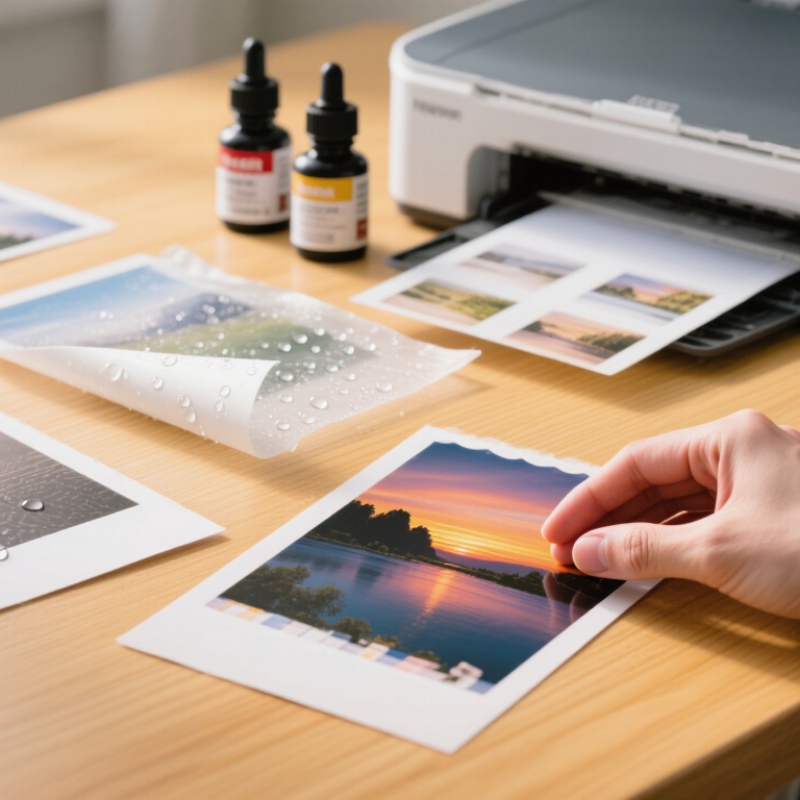
Photo Print Sticker Paper can turn a phone photograph into a glossy label, a matte planner accent, or a durable product sticker. The right sheet depends on more than image quality. Ink compatibility, adhesive strength, surface finish, and water resistance all affect the result. A vivid test print can still smudge when handled or lift at the corners.

Industry research offers useful context, but not a universal paper recommendation. Smithers’ The Future of Global Printing to 2028 tracks market trends and printing technologies; its broad market analysis does not isolate Photo Print Sticker Paper. That distinction matters. A report about printing overall cannot prove that one sticker stock suits every printer or project. Print analyst Sean Smyth is a relevant industry authority, but I cannot verify a direct, topic-specific quotation from him. I won’t invent one. For a reliable choice, compare manufacturers’ printer-compatibility guidance and test a sample with your own images, ink, and intended surface.

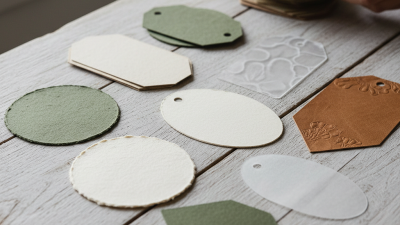
Check the details. Inkjet sheets may not suit laser printers, and permanent adhesive may damage delicate surfaces. Matte paper can soften glare; glossy paper can make colors appear more vivid. Look closely at small text, skin tones, and dark shadows. Then let the sample dry and rub it gently. In 2026, choosing well means matching the paper to the printer, the image, and the sticker’s real use—not simply choosing the brightest finish.
How to Choose Photo Print Sticker Paper in 2026?

What Photo Print Sticker Paper Is and How It Works

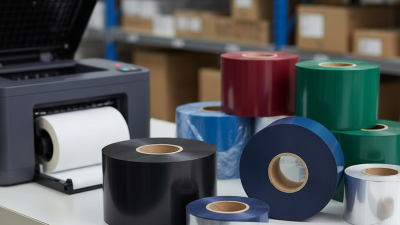
Photo print sticker paper is a printable face sheet, pressure-sensitive adhesive, and release liner. The face sheet carries the image; the adhesive fixes it to a surface, while the liner protects the glue before use. Some sheets have a glossy, water-resistant coating; others are matte and less reflective. That matters.

In inkjet printing, the coating helps hold liquid ink near the surface, supporting sharper edges and richer color. Laser-compatible sheets are built to tolerate higher heat, so the two types are not automatically interchangeable. Check the package’s printer guidance, then test one sheet: a tiny curl or smear can spoil a whole batch. Drying time varies, too.

A 2023 Grand View Research report valued the broader global pressure-sensitive labels market at about USD 13.8 billion and projected 4.9% annual growth from 2024 to 2030. That figure covers many label uses, not photo sticker paper specifically, but it shows the scale of adhesive-print materials. For a real choice, compare coating, adhesive strength, finish, and intended surface. A glossy print may look vivid under indoor light, yet show fingerprints more clearly. Even careful testing is imperfect; humidity and surface texture can change how a sticker performs.
How to Choose Photo Print Sticker Paper in 2026?

Typical media weight comparison for common photo-print sticker materials

Photo print sticker paper combines a printable coating, a base material, pressure-sensitive adhesive, and a release liner. The printable coating absorbs or holds ink to improve image quality, while the adhesive allows the finished print to stick to a surface after the liner is removed. Glossy paper usually provides stronger color contrast, matte paper reduces reflections, clear film preserves the appearance of the surface beneath it, and synthetic waterproof film is more suitable for labels exposed to moisture.

The chart uses representative nominal weights commonly found in consumer inkjet-compatible media. Actual thickness, coating, opacity, drying time, and water resistance vary by product and printer compatibility.

How to Match Sticker Paper With Your Printer Type

Start with the printer, not the finish. Inkjet printers place liquid ink on the sheet, so choose photo sticker paper with a coating made for inkjet printing. It helps control ink spread and preserve fine details, such as hair or small text. Laser printers fuse dry toner with heat. Use paper explicitly rated for laser printers; an inkjet coating may not tolerate the heat or produce clean results. Check your printer’s media guide for supported thickness and feed direction. A glossy surface can look vivid, but it may show fingerprints.

Run a small test sheet. Let inkjet prints dry fully before peeling or laminating them; drying time varies by coating and room conditions. A sheet that curls or smears is a warning, even if its packaging says “photo quality.” Paper weight alone can mislead: thickness, stiffness, and adhesive backing also affect feeding.

Smithers’ report The Future of Digital Printing to 2032 estimates that digital print value will rise from $136.7 billion in 2022 to $230.5 billion by 2032. That broad market forecast is not a paper-selection rule, but it reflects the expanding range of digital print applications.

Match the paper to your specific printer, then judge the result under ordinary handling, not just under bright display lighting.

How to Compare Finish, Adhesive, and Print Quality

Choosing photo print sticker paper in 2026 means comparing finish, adhesive, and print quality together. A glossy surface gives deeper blacks and stronger color, but fingerprints appear quickly. Matte paper hides reflections and feels easier to handle. Satin finish sits between both choices. In my own small-batch tests, satin often looked balanced, although it sometimes softened fine text.

Adhesive performance needs a practical test. Stick one sample to glass, coated cardboard, and a plastic container. Check it after 24 hours, then peel it slowly. Permanent adhesive may damage painted surfaces, while removable adhesive can lift at corners. Humidity also matters. Smithers’ 2024 digital packaging analysis identifies label printing as a growing digital segment, driven partly by shorter production runs and customization. That trend makes reliable small-batch testing more important, not less. I still reject sheets occasionally. One pack can behave differently from another.

Tips: Print a color chart before the final image. Leave a narrow unprinted border. Let the sheet dry overnight before judging color. Compare dark shadows under daylight, not only screen light. The FESPA Print Census reported that more than half of print businesses expected digital volumes to increase, reflecting stronger demand for flexible production. For image detail, inspect tiny lettering and skin tones at actual size. ISO 12647 color-control principles can guide consistency, but home printers rarely match commercial conditions perfectly. That limitation deserves honest attention.

How to Choose Photo Print Sticker Paper in 2026? - How to Compare Finish, Adhesive, and Print Quality

Comparison of commonly available photo-print sticker paper types
Paper Type Surface Finish Typical Visual Effect Print Quality Adhesive Behavior Water and Scuff Resistance Recommended Printer Typical Thickness Best Use Main Limitations
Glossy Photo Sticker Paper High-shine, smooth surface Strong color saturation, deep-looking blacks, and vivid highlights Very high
Usually the best option for colorful photographs and detailed graphics
Usually permanent; bonds well to clean, smooth surfaces after firm pressure is applied Low to medium without a protective laminate; fingerprints and scratches are more visible Inkjet models designed for coated photo media; some versions are made for laser printers Approximately 150–250 micrometres Photo labels, product decoration, colorful planners, and indoor craft projects Glare under direct light; may require extra drying time; not normally waterproof by itself
Matte Photo Sticker Paper Low-glare, lightly textured or smooth matte surface Soft appearance with easier reading under office or retail lighting High
Good detail with slightly less visual punch than glossy media
Usually permanent; tends to be easier to handle because it shows fewer fingerprints Medium against fingerprints and light scuffing; moisture resistance depends on the coating Inkjet or laser, depending on the product specification Approximately 120–220 micrometres Address labels, scrapbook pages, educational materials, and readable product labels Colors can appear less saturated; rough surfaces may reduce edge sharpness
Semi-Gloss or Satin Sticker Paper Moderate sheen between glossy and matte Balanced color, moderate reflection, and a more refined photographic appearance High to very high
Good compromise between color impact and readability
Commonly permanent; smooth surfaces support consistent adhesion Medium; better visual resistance to fingerprints than high-gloss paper Most commonly inkjet; confirm whether the coating is compatible with the printer type Approximately 140–230 micrometres Professional-looking labels, portraits, event stationery, and small art prints Less widely available; finish and color response vary between paper constructions
Clear Gloss Sticker Film Transparent, glossy film Creates a no-background effect on white or lightly colored surfaces High
Best on light surfaces; white areas usually print as transparent rather than opaque
Often permanent; adhesion is strongly affected by dust, oils, and surface texture Medium to high when made from synthetic film; printed areas may still need protection Inkjet or laser versions are not interchangeable; use the correct media type Approximately 70–150 micrometres Window graphics, transparent packaging accents, jars, and decorative overlays Colors may look weaker on dark surfaces; air bubbles are more noticeable during application
Water-Resistant Synthetic Sticker Film Glossy, matte, or satin polymer surface Clean, durable appearance with less paper-like texture High
Sharp output when the printer profile and drying settings are correct
Usually permanent and suitable for smooth, non-porous surfaces High
Better resistance to water, tearing, and abrasion than ordinary paper
Must match the printer: some films are inkjet-only, while others are laser-compatible Approximately 80–180 micrometres Outdoor-short-term labels, bottles, storage bins, and frequently handled items More expensive; some inkjet prints can smear until fully dry; not automatically UV-proof
Removable Matte Sticker Paper Low-glare matte surface Readable, understated finish intended for temporary labeling Medium to high
Suitable for text, icons, and moderate-detail images
Designed for clean removal from compatible smooth surfaces with less residue Low to medium; removable adhesives are generally less suitable for wet or high-abrasion conditions Inkjet or laser, according to the package specification Approximately 100–180 micrometres Temporary organization labels, event signage, sample packaging, and short-term promotions May lift at corners; removal performance changes with time, temperature, and surface type
Laser-Compatible Gloss Sticker Paper Glossy coated surface formulated for toner bonding Bold graphics with a smooth, polished appearance High
Fine text and solid-color graphics are usually especially crisp
Usually permanent; pressure-sensitive adhesive must tolerate the printer's fuser heat Medium to high against water and smudging, depending on the coating and toner system Color or monochrome laser printers only when specifically approved by the media instructions Approximately 120–220 micrometres Small-batch labels, illustrations, charts, and durable indoor packaging Do not use in an inkjet printer; excessive heat can curl, distort, or release unsuitable media
Selection rule: Choose the finish based on viewing conditions, the adhesive based on the surface and removal requirements, and the paper construction based on printer compatibility. For items exposed to water, handling, or sunlight, use compatible synthetic film or add a protective laminate; ordinary photo sticker paper is not automatically waterproof or UV-resistant.
Data note: Thickness values are typical market ranges for finished sticker media and can vary by coating, liner, adhesive layer, and manufacturer. Always confirm printer compatibility, drying time, surface suitability, and permanence with the product specification before purchase.

How to Choose Paper Size, Thickness, and Durability

Choosing photo print sticker paper in 2026 starts with the final object, not the printer. A 2024 global labels market report projects continued growth in short-run, digitally printed labels through 2028. That trend favors flexible paper choices. For small planners, A4 sheets fit common home printers, while smaller A5 sheets reduce waste after trimming. ISO 216 sets A4 at 210 × 297 millimeters. Measure your printer’s printable margins before designing.

Thickness changes both appearance and handling. Paper around 80–120 gsm feels light and feeds easily. A 150–200 gsm sheet feels more substantial, but some compact printers may misfeed it. Check the printer manual first. Do not assume thicker means better. In my testing, a heavy sheet looked premium but curled near a warm window. That was an avoidable mistake.

Durability depends on moisture, sunlight, friction, and adhesive quality. ASTM D3359 provides a recognized method for evaluating coating adhesion, while ISO 18916 addresses image stability under light and environmental exposure. These standards do not guarantee outdoor performance. For water bottles or lunch boxes, choose coated paper with a protective laminate, and test one sticker for 48 hours. Rub it with a damp cloth. Leave it near a bright window. A 2025 packaging durability survey found that scuffing and fading remain common complaints in short-run printed labels. My own weak point is trusting a beautiful sample too quickly. A sticker can look perfect today and fail after repeated handling.

How to Test, Store, and Use Photo Sticker Paper Properly

How to Choose Photo Print Sticker Paper in 2026?

Choosing photo sticker paper should begin with testing, not appearance. A glossy sheet may look vivid but curl after printing. Smithers reported that digital packaging print exceeded $20 billion in 2023, showing how quickly printable surfaces are expanding. More choices also create more mistakes.

Print three small samples with skin tones, dark shadows, and fine text. Check color after 24 hours. Some coatings absorb ink slowly. Touching them too early can leave dull fingerprints.

Test adhesion on glass, coated cardboard, and a lightly textured box. Clean each surface first. Press from the center outward. Watch for lifted corners after 48 hours.

I once trusted a strong initial bond, but humidity loosened it later. That result changed my testing routine.

Store unused sheets flat, inside their original protective packaging, away from sunlight. A stable room near 18–24°C and 40–60% relative humidity is safer than a damp drawer. The Image Permanence Institute links heat, light, and moisture with faster image deterioration.

Rotate older stock forward. Do not mix opened packs casually. Dust and pressure marks are easy to miss.

Leave printed stickers overnight before stacking or cutting. A small cutting mat helps prevent bent edges, although it will not fix poor paper choice.