10 Essential Tips for Using Roll Label Paper Effectively?
In the world of labeling, "Roll Label Paper" has gained immense popularity. Experts agree that its versatility is a game-changer. According to Lisa Chen, a labeling specialist, "Choosing the right roll label paper is key to effective branding." This statement perfectly captures the essence of its impact on product presentation.
Using Roll Label Paper effectively requires understanding its strengths and limitations. Many users overlook the importance of selecting the appropriate adhesive. The right adhesive enhances durability and adherence. Additionally, optimizing the design can improve the overall appeal.
However, challenges often arise. Some users may struggle with printer compatibility. This can lead to wasted materials and frustration. It’s essential to take time for testing and adjustments. Mistakes in label sizing can also hinder effectiveness. Learning from these missteps is crucial for achieving better results.
Understanding Roll Label Paper: Types and Specifications
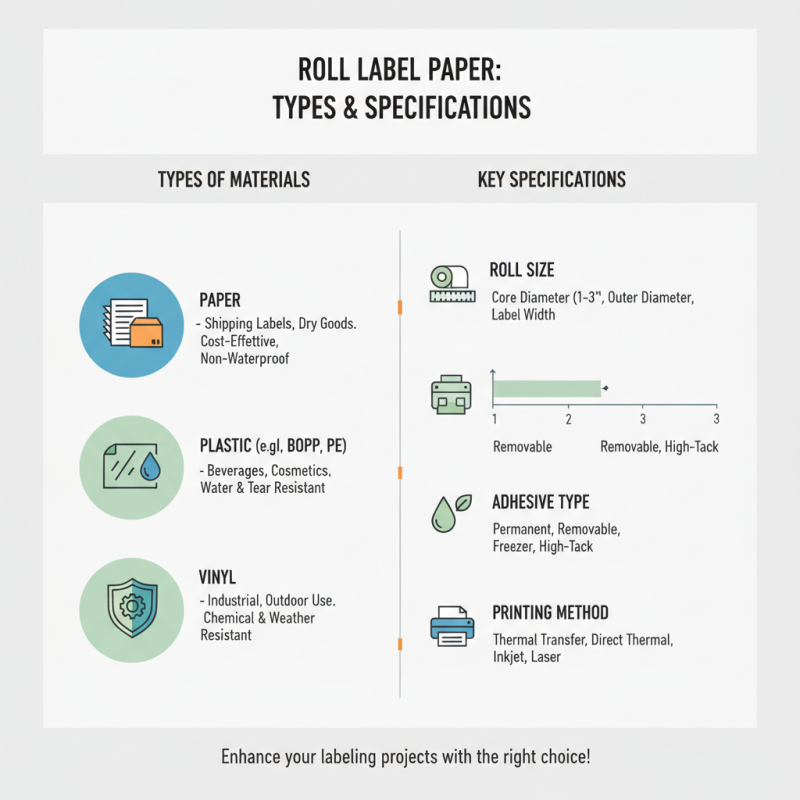
Roll label paper comes in various types and specifications. Understanding these can significantly enhance your labeling projects. You might encounter paper, plastic, or even vinyl materials. Each type serves a different purpose based on durability and application. For instance, paper is often used for shipping labels, while synthetic materials can withstand moisture. This choice affects both aesthetics and functionality.
Specifications such as adhesive strength and finish are also crucial. Labels with strong adhesive hold up better in challenging environments. Conversely, removable labels are ideal for temporary use. You should consider how that adhesive interacts with different surfaces. For example, a label may leave residue on some materials but come off cleanly from others. This inconsistency can lead to frustration during application.
When selecting roll label paper, reflect on your needs. Are you printing at home or using a professional setup? Your printer's capabilities may limit your choices. Also, consider the label size and design. Sometimes the perfect label can turn out less than perfect on a smaller roll. Experimentation can lead to valuable insights and improved label quality over time.
Choosing the Right Printer for Roll Label Paper Applications
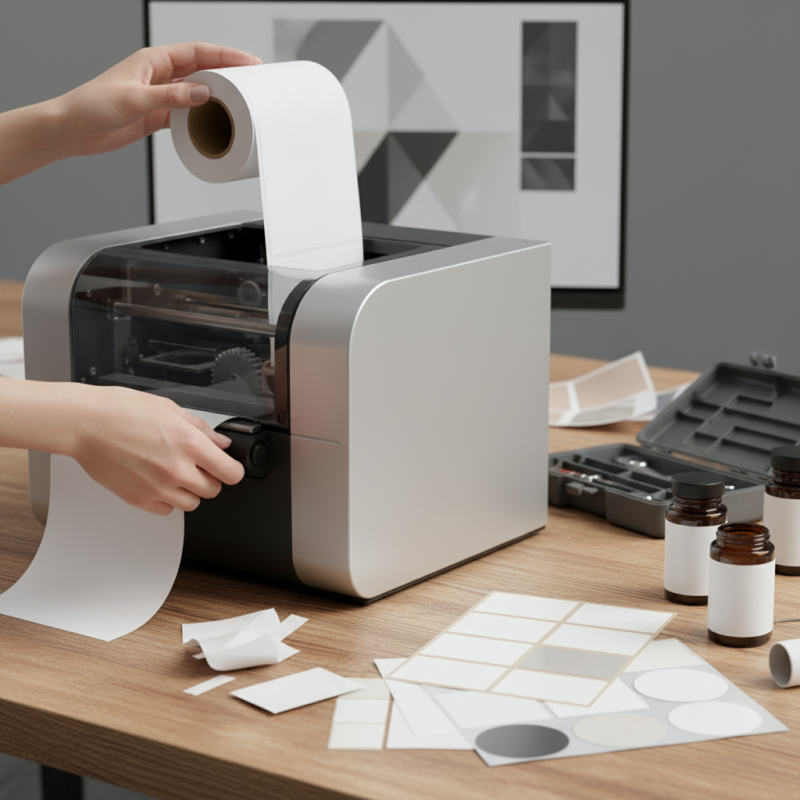
Choosing the right printer for roll label paper can greatly influence your labeling efficiency. Look for printers that support the size and type of roll labels you need. Check for compatibility with different adhesive types. Consider the printing speed, especially for large projects. A slow printer can hinder productivity.
One tip: always test print your labels before initiating a big batch. This can save you headaches if adjustments are necessary. You might find that the colors don’t match your expectations. Adjusting settings can take time, but it’s crucial for quality output.
Another useful suggestion is to ensure your printer has a reliable feed system. Misalignment can cause labels to jam or print incorrectly. Regularly clean the rolling mechanisms to avoid these issues. Note, not all printers handle varying temperature conditions well, affecting print quality. Monitor your printer’s performance to avoid surprises during a print run.
10 Essential Tips for Using Roll Label Paper Effectively
Optimizing Label Design: Size, Fonts, and Color Considerations
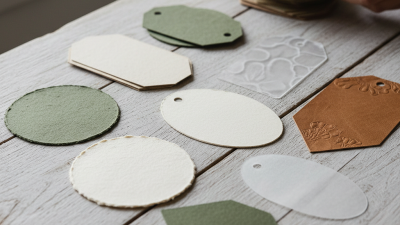
When designing labels, size matters. A label that is too small may lose detail. Conversely, an oversized label can overwhelm the product. Measure your space carefully. Consider the product's dimensions. Test multiple sizes to find the right fit. Use a template for consistency. This will help streamline your design process.
Fonts play a significant role in label design. Legibility should always be a priority. Avoid overly decorative fonts that can confuse your audience. Instead, choose clean and simple styles. Ensure that text contrasts well with background colors. This makes information easier to read. Don't forget to think about the hierarchy of text. Use varying sizes to emphasize important details.
Color is another essential factor in label design. It impacts mood and recognition. Stick with a color palette that matches your brand identity. Too many colors can create visual chaos. Aim for a harmonious look. Test colors on actual labels to see how they print. Some colors may not appear as expected. Always take the time to review and adjust before finalizing your labels.
Common Printing Issues with Roll Labels and How to Resolve Them
When using roll label paper, common printing issues can arise. One frequent problem is smudging. This occurs when the ink does not dry quickly enough. To combat this, try adjusting the printer's speed settings. Slowing it down can help the ink dry properly. Another issue is misalignment. Labels may not print in the correct position, leading to waste. Regularly calibrate your printer to ensure labels align perfectly.
Paper jams are another common headache. They often happen if the label roll is too tight or not loaded correctly. Gently check the path of the paper before printing. Ensure the roll is oriented correctly and not too snug in the holder. If labels tear during printing, examine the printer’s settings. Sometimes, reducing print speed can help prevent tearing.
Color inconsistency can also occur, affecting the professionalism of the labels. This can be linked to ink quality or printer settings. Regularly clean print heads and replace low-quality ink. These adjustments may enhance color accuracy. Constantly assessing these areas will improve your overall experience with roll label paper.
Best Practices for Storing and Handling Roll Label Stock
Storing and handling roll label stock requires attention to detail. Proper storage conditions can prevent damage. Keep the labels in a cool, dry place. Avoid direct sunlight, which can fade colors over time. It’s crucial to maintain a stable temperature and humidity level. Extreme fluctuations can lead to curling or wrinkling.
When handling roll labels, be gentle. Rough handling can cause misalignment and jams during application. Always use clean hands or gloves. Dust and oils from fingers can transfer onto the labels, affecting the adhesive quality. Make sure to inspect rolls before use. Look for any inconsistencies or defects.
A few essential tips can enhance your experience. Use a label dispenser for even application. This minimizes waste and keeps the labels organized. Sort labels by size and type to streamline your workflow. Also, occasionally check the quality of your labels. Sometimes, even minor tears or creases can lead to bigger issues later on.